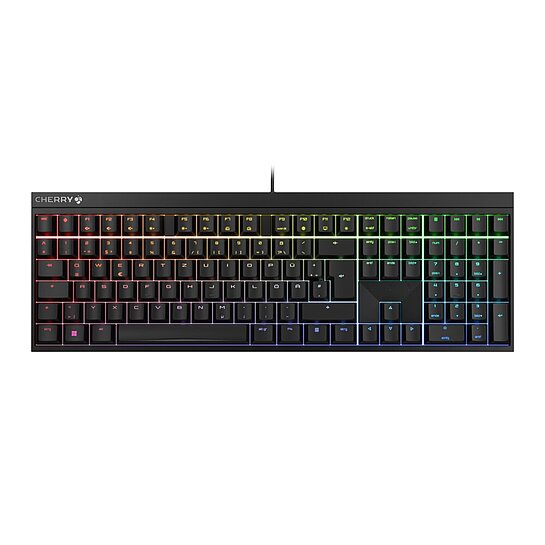
CHERRY XTRFY MX 2.0S
Made for gaming – a functional, state-of-the-art keyboard featuring MX technology
Filter:
Data sheet
Description, features, article numbers and technical properties
File language support:
German
Data sheet
Description, features, article numbers and technical properties
File language support:
English (GB)
Data sheet
Description, features, article numbers and technical properties
File language support:
English (US)
Data sheet
Description, features, article numbers and technical properties
File language support:
Spanish
Data sheet
Description, features, article numbers and technical properties
File language support:
French
Data sheet
Description, features, article numbers and technical properties
File language support:
Dutch
Data sheet
Description, features, article numbers and technical properties
File language support:
Italian
Data sheet
Description, features, article numbers and technical properties
File language support:
Japanese
Data sheet
Description, features, article numbers and technical properties
File language support:
Korean
Data sheet
Description, features, article numbers and technical properties
File language support:
Chinese
Filter:
Manual CHERRY MX BOARD 2.0S
File language support:
English (GB)
English (US)
German
French
Spanish
Italian
Swedish
Chinese
Indonesian
File size:
6822 KB
SHA-256 checksum:
94de8927dd4c4f4bb544097f608ad322a5567dbe09ccdb2d4b05d07e6ceddaf7
Filter:
20260611_Cherry Utility Software_x32-3.11.2-ReleaseNotes.pdf
File size:
258 KB
SHA-256 checksum:
a538fa1a42ac92b87e418c4c7f463e9b32c63db1b7473a9489835d1708aeb510
Cherry Utility Software (Win x32) v3.11.2
The CHERRY UTILITY SOFTWARE is the solution for professionals, enthusiasts and gamers who want to get the best out of their CHERRY product*.
Lighting control, macro programming and numerous detailed settings allow you to customize your hardware.
- Individual assignment of all keys - Program your CHERRY keyboard/mouse* to suit your taste: shortcuts, text modules, macros, key remapping, multimedia functions.
- Fine-tuned lighting control - Choose from countless colors and lighting effects and create your own lighting concept.
- Mouse performance - Configure your DPI profile and other powerful features of your mouse just the way you like.
- Software profiles - You want to quickly switch to another set of device configurations? Our integrated support for multiple profiles make this task easy as (Cherry) pie.
*) Please refer to the detailed description of the respective product or the RELEASE NOTES for this software version to find out which CHERRY devices are supported. CHERRY Utility only works with CHERRY products intended for this purpose.
Operating system support:
Windows
File size:
41660 KB
SHA-256 checksum:
415588aa5c6d82a1bc5cb5bcd28d99de193a5fba4fa181bc774c069171bf728c
CHERRY Utility Software_x32-3.12.exe
File size:
42680 KB
SHA-256 checksum:
2fa52325747ee96b560f8ba8c304fedc10d4ab75389258bfd8001168af4bb238
20260923_Cherry Utility Software_x32-3.12-ReleaseNotes.pdf
File size:
264 KB
SHA-256 checksum:
bf812fa5db4daa5f942b4c7fea9e844522cdea29fe576ad8b0f9b89324d670fd