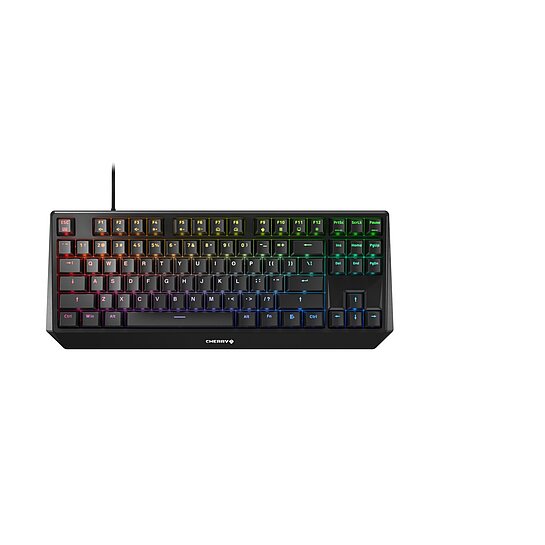
フィルター:
データシート
説明、特徴、品番、技術特性
対応ファイル言語:
ドイツ語
データシート
説明、特徴、品番、技術特性
対応ファイル言語:
英語 (GB)
データシート
説明、特徴、品番、技術特性
対応ファイル言語:
スペイン語
データシート
説明、特徴、品番、技術特性
対応ファイル言語:
フランス語
データシート
説明、特徴、品番、技術特性
対応ファイル言語:
英語 (US)
データシート
説明、特徴、品番、技術特性
対応ファイル言語:
オランダ語
データシート
説明、特徴、品番、技術特性
対応ファイル言語:
イタリア語
データシート
説明、特徴、品番、技術特性
対応ファイル言語:
中国語
データシート
説明、特徴、品番、技術特性
対応ファイル言語:
韓国語
データシート
説明、特徴、品番、技術特性
対応ファイル言語:
日本語
フィルター:
取扱説明書 CHERRY MX BOARD 1.0 TKL
対応ファイル言語:
英語 (GB)
ドイツ語
フランス語
スウェーデン語
ノルウェー語
デンマーク語
フィンランド語
中国語
クロアチア語
スロベニア語
韓国語
インドネシア語
ファイルサイズ:
4 MB
MD5 チェックサム:
907ebaeea38f3f497f9551c2920c8b21
フィルター:
Cherry Utility Software (Win x32) v3.11.1
The CHERRY UTILITY SOFTWARE is the solution for professionals, enthusiasts and gamers who want to get the best out of their CHERRY product*.
Lighting control, macro programming and numerous detailed settings allow you to customize your hardware.
- Individual assignment of all keys - Program your CHERRY keyboard/mouse* to suit your taste: shortcuts, text modules, macros, key remapping, multimedia functions.
- Fine-tuned lighting control - Choose from countless colors and lighting effects and create your own lighting concept.
- Mouse performance - Configure your DPI profile and other powerful features of your mouse just the way you like.
- Software profiles - You want to quickly switch to another set of device configurations? Our integrated support for multiple profiles make this task easy as (Cherry) pie.
*) Please refer to the detailed description of the respective product or the RELEASE NOTES for this software version to find out which CHERRY devices are supported. CHERRY Utility only works with CHERRY products intended for this purpose.
対応オペレーティングシステム:
Windows 10
Windows 11
ファイルバージョン:
3.11.1
ファイルサイズ:
41 MB
MD5 チェックサム:
7927b07fd1c49b2f6f43ff76952ea60e
20260611_Cherry Utility Software_x32-3.11.1-ReleaseNotes.pdf
ファイルサイズ:
255 KB
MD5 チェックサム:
fd57bec2001192e78b32a68b520b57a0