Filter:
Data sheet
Description, features, article numbers and technical properties
File language support:
German
Data sheet
Description, features, article numbers and technical properties
File language support:
English (GB)
Data sheet
Description, features, article numbers and technical properties
File language support:
English (US)
Data sheet
Description, features, article numbers and technical properties
File language support:
Spanish
Data sheet
Description, features, article numbers and technical properties
File language support:
French
Data sheet
Description, features, article numbers and technical properties
File language support:
Dutch
Data sheet
Description, features, article numbers and technical properties
File language support:
Italian
Data sheet
Description, features, article numbers and technical properties
File language support:
Japanese
Data sheet
Description, features, article numbers and technical properties
File language support:
Korean
Data sheet
Description, features, article numbers and technical properties
File language support:
Chinese
Filter:
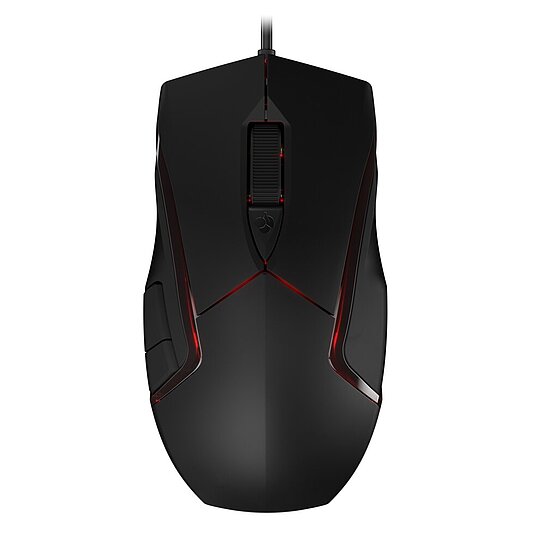
Manual CHERRY MC 3.1
File language support:
English (GB)
English (US)
German
French
Swedish
Chinese
Korean
Indonesian
File size:
1618 KB
SHA-256 checksum:
5c500b92df36a69e3b40c0b6cd50f0035766ca3ae0f9b87654af245af3ea394e
Filter:
CHERRY KEYS (64Bit x64)
CHERRY KEYS Individual key assignment for mouse and keyboard Thanks to our easy-to-use software, you can configure your keyboard or mouse according to your wishes. Our solution allows you to re-model your keys with just a few clicks. The following functions can be assigned with CHERRY KEYS: - Run program - Open file/folder - Open website - System functions such as logout, standby, locks - Play recorded macros - Insert recorded text - Multimedia functions (e.g. louder/quieter/next/mute/etc.) - Disable key
File language support:
German
English (GB)
English (US)
French
Italian
Spanish
Chinese
Korean
Operating system support:
Windows
File size:
49232 KB
SHA-256 checksum:
e7b91d2e9a7f7074252d5fb011831b5a6247e6a33bdabb73e68f2ffc198eaed3
CHERRY KEYS (32Bit x86)
CHERRY KEYS Individual key assignment for mouse and keyboard Thanks to our easy-to-use software, you can configure your keyboard or mouse according to your wishes. Our solution allows you to re-model your keys with just a few clicks. The following functions can be assigned with CHERRY KEYS: - Run program - Open file/folder - Open website - System functions such as logout, standby, locks - Play recorded macros - Insert recorded text - Multimedia functions (e.g. louder/quieter/next/mute/etc.) - Disable key
File language support:
German
English (GB)
English (US)
French
Italian
Spanish
Chinese
Korean
Operating system support:
Windows
File size:
43818 KB
SHA-256 checksum:
d267ba9839004957c8ef470e9b54e9f98137685effc61072947e31c873b1bf97
Cherry Utility Software (Win x32) v3.11.2
The CHERRY UTILITY SOFTWARE is the solution for professionals, enthusiasts and gamers who want to get the best out of their CHERRY product*.
Lighting control, macro programming and numerous detailed settings allow you to customize your hardware.
- Individual assignment of all keys - Program your CHERRY keyboard/mouse* to suit your taste: shortcuts, text modules, macros, key remapping, multimedia functions.
- Fine-tuned lighting control - Choose from countless colors and lighting effects and create your own lighting concept.
- Mouse performance - Configure your DPI profile and other powerful features of your mouse just the way you like.
- Software profiles - You want to quickly switch to another set of device configurations? Our integrated support for multiple profiles make this task easy as (Cherry) pie.
*) Please refer to the detailed description of the respective product or the RELEASE NOTES for this software version to find out which CHERRY devices are supported. CHERRY Utility only works with CHERRY products intended for this purpose.
Operating system support:
Windows
File size:
41660 KB
SHA-256 checksum:
415588aa5c6d82a1bc5cb5bcd28d99de193a5fba4fa181bc774c069171bf728c
20260611_Cherry Utility Software_x32-3.11.2-ReleaseNotes.pdf
File size:
258 KB
SHA-256 checksum:
a538fa1a42ac92b87e418c4c7f463e9b32c63db1b7473a9489835d1708aeb510