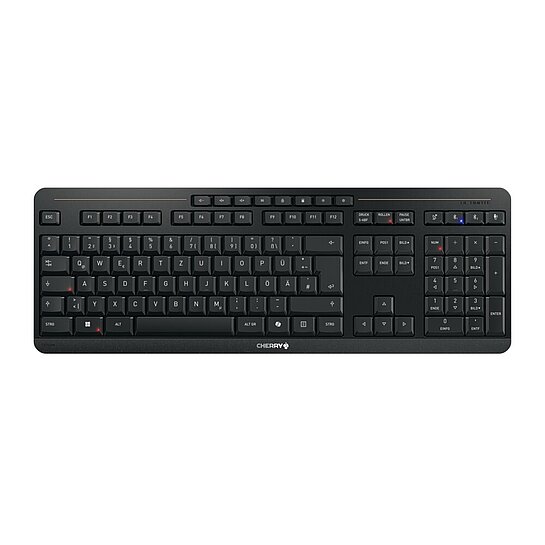
CHERRY STREAM KEYBOARD ULTIMATE
Het ultieme multi-device toetsenbord voor prestaties en comfort.
Filter:
Gegevensblad
Beschrijving, kenmerken, artikelnummers en technische kenmerken
Ondersteuning bestandstaal:
Duits
Gegevensblad
Beschrijving, kenmerken, artikelnummers en technische kenmerken
Ondersteuning bestandstaal:
Engels (GB)
Gegevensblad
Beschrijving, kenmerken, artikelnummers en technische kenmerken
Ondersteuning bestandstaal:
Engels (US)
Gegevensblad
Beschrijving, kenmerken, artikelnummers en technische kenmerken
Ondersteuning bestandstaal:
Spaans
Gegevensblad
Beschrijving, kenmerken, artikelnummers en technische kenmerken
Ondersteuning bestandstaal:
Frans
Gegevensblad
Beschrijving, kenmerken, artikelnummers en technische kenmerken
Ondersteuning bestandstaal:
Nederlands
Gegevensblad
Beschrijving, kenmerken, artikelnummers en technische kenmerken
Ondersteuning bestandstaal:
Italiaans
Gegevensblad
Beschrijving, kenmerken, artikelnummers en technische kenmerken
Ondersteuning bestandstaal:
Japans
Gegevensblad
Beschrijving, kenmerken, artikelnummers en technische kenmerken
Ondersteuning bestandstaal:
Koreaans
Gegevensblad
Beschrijving, kenmerken, artikelnummers en technische kenmerken
Ondersteuning bestandstaal:
Chinees
Filter:
Manual CHERRY STREAM KEYBOARD Ultimate.pdf
Bestandsgrootte:
2866 KB
SHA-256-controlesom:
8af8ff522b3760e4f5c3b02ac2f59dc22e7f3dccf9bb86ad70fe7d872b3941a1
Filter:
CHERRY KEYS (64Bit x64)
CHERRY KEYS Individual key assignment for mouse and keyboard Thanks to our easy-to-use software, you can configure your keyboard or mouse according to your wishes. Our solution allows you to re-model your keys with just a few clicks. The following functions can be assigned with CHERRY KEYS: - Run program - Open file/folder - Open website - System functions such as logout, standby, locks - Play recorded macros - Insert recorded text - Multimedia functions (e.g. louder/quieter/next/mute/etc.) - Disable key
Ondersteuning bestandstaal:
Duits
Engels (GB)
Engels (US)
Frans
Italiaans
Spaans
Chinees
Koreaans
Ondersteuning voor besturingssystemen:
Windows
Bestandsgrootte:
49232 KB
SHA-256-controlesom:
e7b91d2e9a7f7074252d5fb011831b5a6247e6a33bdabb73e68f2ffc198eaed3
CHERRY KEYS (32Bit x86)
CHERRY KEYS Individual key assignment for mouse and keyboard Thanks to our easy-to-use software, you can configure your keyboard or mouse according to your wishes. Our solution allows you to re-model your keys with just a few clicks. The following functions can be assigned with CHERRY KEYS: - Run program - Open file/folder - Open website - System functions such as logout, standby, locks - Play recorded macros - Insert recorded text - Multimedia functions (e.g. louder/quieter/next/mute/etc.) - Disable key
Ondersteuning bestandstaal:
Duits
Engels (GB)
Engels (US)
Frans
Italiaans
Spaans
Chinees
Koreaans
Ondersteuning voor besturingssystemen:
Windows
Bestandsgrootte:
43818 KB
SHA-256-controlesom:
d267ba9839004957c8ef470e9b54e9f98137685effc61072947e31c873b1bf97